
Picsart Photo Editor – Powerful AI Photo Editing & Creative Design Platform
Edit, enhance, design and transform images with AI-powered tools, templates, filters, and advanced editing features in one platform
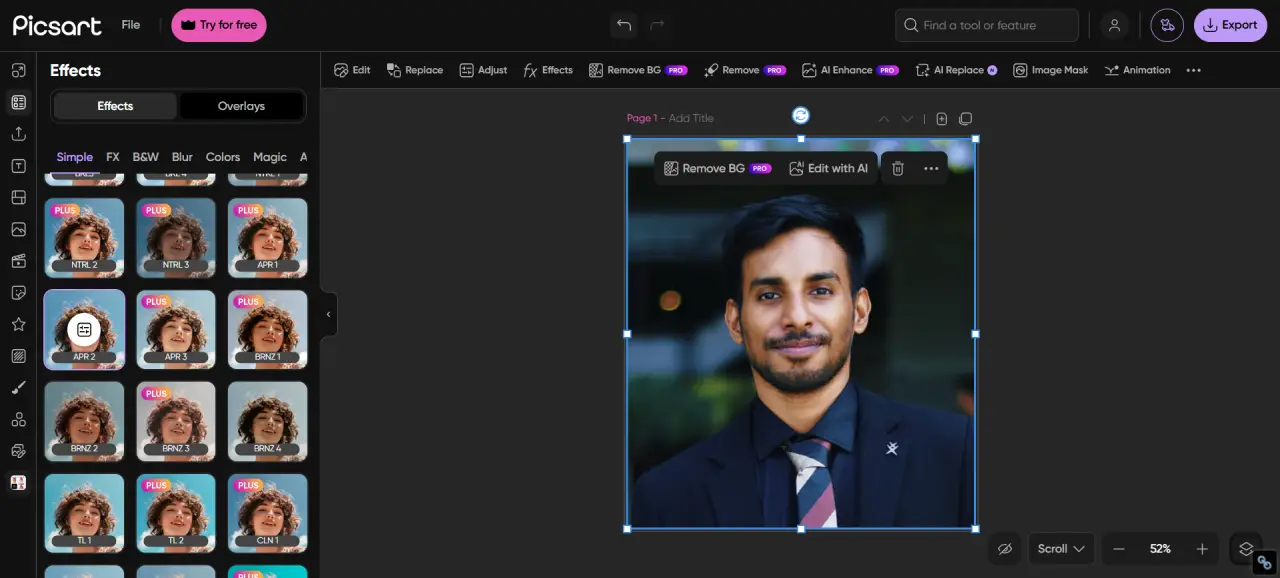
Picsart is a complete AI-powered online photo editor built for creators, marketers, and everyday users. It combines advanced editing tools with an intuitive drag-and-drop interface, allowing you to edit photos, design graphics, and create stunning visuals in just a few clicks.
From background removal and object erasing to filters, templates, batch editing, and animation tools, Picsart provides everything you need for professional-quality image editing. Whether you're creating social media content, marketing visuals, or personal designs, Picsart makes complex editing simple and accessible.
Key Highlights
All Features
AI-Powered Photo Editor
Detect and transform key elements in your photos automatically using advanced AI tools.
Magic Background Removal
Remove backgrounds instantly without manual selection or outlining.
AI Background Generator
Create or replace backgrounds with unique AI-generated scenes.
Advanced Object Remover
Erase unwanted objects, people, or distractions with seamless blending.
Perspective Correction
Straighten and align photos with horizontal and vertical controls.
Custom Filters & Effects
Apply trendy, artistic, and subtle filters to match your style.
One-Tap Photo Enhancement
Improve lighting, clarity, and detail instantly.
Focus & Blur Tools
Create depth and focus with adjustable blur effects.
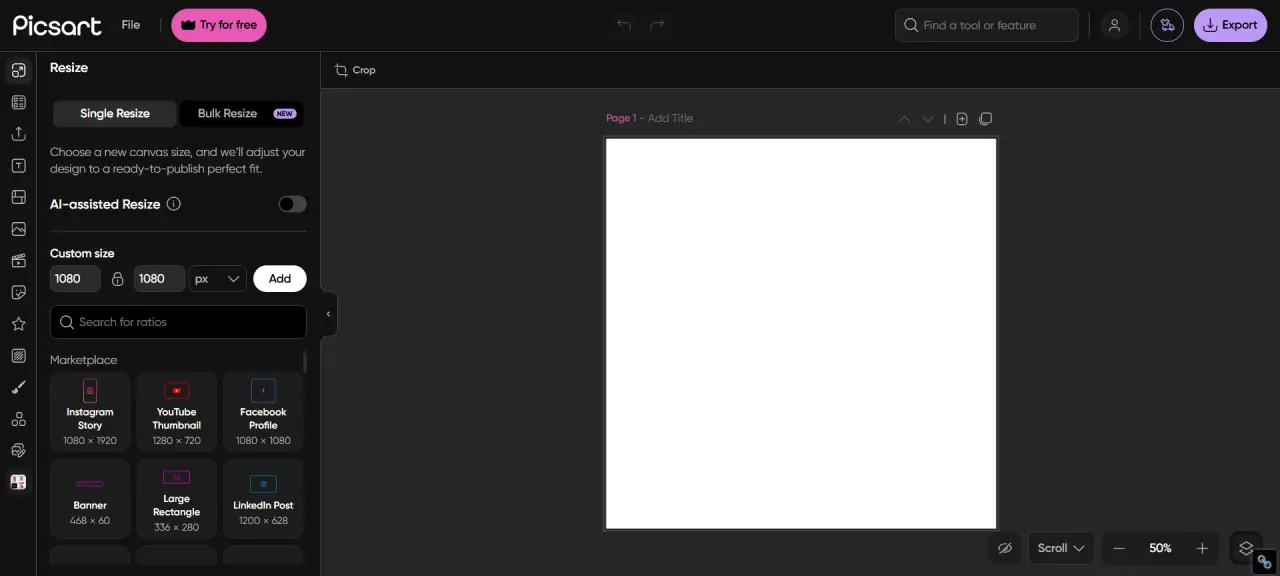
Crop & Resize Tools
Resize images for any platform with presets and custom options.
Add Text to Photos
Use fonts, colors, and styles to create engaging designs.
Creative Templates
Start quickly with templates for social media, invitations, and more.
Overlays & Stickers
Enhance visuals with stickers, overlays, and effects.
Collage Maker
Combine multiple photos into creative layouts easily.
Massive Asset Library
Access millions of images, icons, and design elements.
Batch Editing Mode
Edit up to 50 images at once with crop, resize, and background tools.
High-Resolution Export
Download images in JPG, PNG, PDF, 1080p or 4K quality.
Color Grading Tools
Adjust tones, highlights, and shadows for professional results.
Photo-to-Art Effects
Turn images into artistic creations using AI effects.
Animation & Motion Effects
Animate photos and turn them into engaging video content.
Mobile & Web Sync
Access and edit your projects across all devices seamlessly.
Why Use Picsart?
All-in-One Editor
Edit, enhance, design, and animate images in one powerful platform.
AI-Powered Features
Use AI tools to simplify complex edits like background removal and object deletion.
Beginner Friendly
Simple interface designed for users of all experience levels.
Massive Asset Library
Access millions of templates, stickers, fonts, and images.
Batch Editing Support
Save time by editing multiple images at once.
Cross-Platform Sync
Edit seamlessly across mobile, web, and desktop devices.
What Can You Create?
Social Media Content
Design posts, reels, stories, and thumbnails.
Marketing Graphics
Create ads, banners, and promotional visuals.
Product Images
Enhance eCommerce photos with clean backgrounds.
Photo Collages
Combine multiple images into creative layouts.
AI Art & Designs
Generate unique visuals using AI tools.
Animated Content
Turn images into animated or video content.
Who Is It For?
Beginners
Easy editing tools with no experience required.
Content Creators
Create eye-catching visuals quickly.
Marketers
Design ads and branding content efficiently.
Designers
Use advanced tools for creative projects.
Benefits
Fast AI Editing
Automate complex tasks and save time.
Easy to Use
Simple interface with powerful features.
No Installation
Works directly in your browser.
Professional Results
Export high-quality images ready for use.
How to Use Picsart
Upload your image to the Picsart editor
Apply AI tools, filters, or templates
Customize your design and adjust settings
Download or share your final image
Start Editing with Picsart Photo Editor
Create stunning visuals using AI-powered tools, templates, and advanced editing features.
Open Editor Now