
piZap – Easy Online Photo Editor & Design Tool
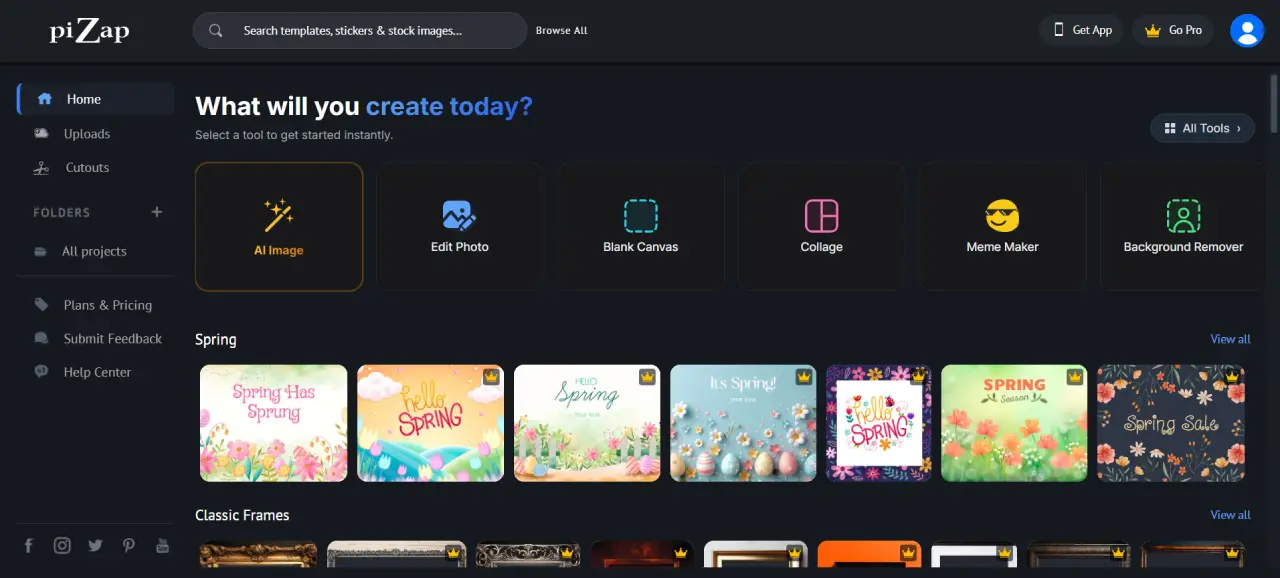
piZap is a fun and easy-to-use online photo editor and collage maker designed for everyone. It comes packed with effects, fonts, stickers, templates, borders, and frames to help you create stunning visuals in minutes.
With piZap Online Photo Editor, you can edit photos, design social media posts, create memes, and generate AI images—all directly in your browser without installing any software.
Editor Highlights
Key Features
Simple Photo Editing
Edit photos with easy tools for cropping, resizing, filters, and effects without any learning curve.
Templates & Design Tools
Choose from thousands of templates to create social media posts, graphics, and designs instantly.
AI Image Maker
Generate images from text using AI and bring your creative ideas to life effortlessly.
Collage Maker
Create beautiful photo collages using multiple layouts, grids, and creative themes.
Meme Maker
Design fun and engaging memes quickly with ready-to-use meme templates.
AI Background Remover
Remove image backgrounds instantly using AI-powered tools for clean and professional edits.
Logo Maker
Create simple and stylish logos for your brand using automated design tools.
Fonts & Typography
Access over 350 fonts to style your text creatively for any design project.
Stock Images Library
Enhance your designs with a wide range of stock photos and backgrounds.
Stickers & Graphics
Add fun elements with thousands of stickers and graphics for creative designs.
What Can You Do?
Edit Photos Online
Enhance images with filters, effects, and adjustments quickly.
Create Social Media Content
Design posts, covers, and ads for Instagram, Facebook, and more.
Make Memes
Create viral memes easily with built-in meme tools.
Build Photo Collages
Combine multiple photos into creative collage layouts.
Generate AI Images
Create unique images using AI text-to-image generation.
Who Is It For?
Beginners
Easy tools make it perfect for users with no design experience.
Content Creators
Create engaging visuals for social media and online platforms.
Students & Casual Users
Great for fun projects, memes, and quick edits.
Freelancers
Use templates and tools to create designs for clients quickly.
Benefits
No Installation Needed
Use piZap directly in your browser without downloading anything.
All-in-One Tool
Edit photos, create collages, design graphics, and more in one place.
AI-Powered Features
Save time with automated tools like AI image generation and background removal.
Fast & Easy Workflow
Create stunning visuals in minutes with simple tools and templates.
How to Use piZap
Open the piZap editor in your browser
Upload your image or choose a template
Edit using tools, filters, or AI features
Download or share your final design
Start Creating with piZap
Edit photos, design graphics, and create amazing visuals بسهولة with piZap.
Launch piZap Editor