
JS Paint (MS Paint Online)
Draw, edit, and create images instantly with a classic MS Paint experience in your browser
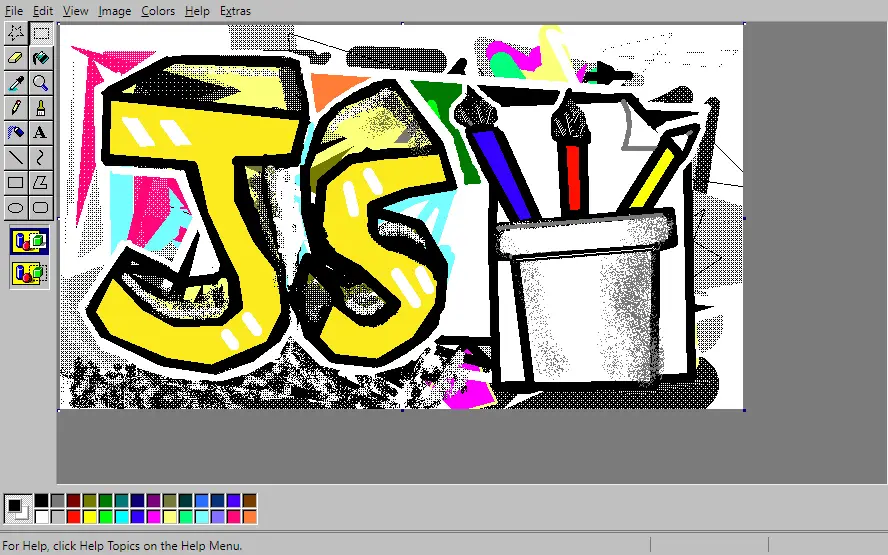
JS Paint is a powerful web-based remake of the classic Microsoft Paint, designed to run directly in your browser without any installation. It perfectly recreates the familiar MS Paint interface, tools, and menus, making it ideal for quick edits, simple drawings, and nostalgic creativity.
Whether you want to sketch ideas, edit images, or relive the Windows 98 painting experience, JS Paint delivers a smooth and pixel-perfect environment. It also supports additional features like themes, accessibility tools, and multiple file formats.
Key Highlights of JS Paint
Core Features of JS Paint
Full MS Paint Toolset
Access all classic tools including pencil, brush, fill, shapes, text, eraser, and color picker just like original Paint.
Browser-Based Editing
Edit and create images directly in your browser without needing to install or update any software.
Multiple File Formats
Supports opening and saving images in different formats, making it useful for quick conversions and edits.
Themes & Customization
Customize the interface with different themes for a personalized painting experience.
Accessibility Tools
Includes features like speech recognition and dwell clicking for improved accessibility.
Windows 98 Integration
Also available inside a web-based Windows 98 environment along with classic apps like Notepad and Minesweeper.
Why Choose JS Paint?
Classic MS Paint Feel
JS Paint faithfully recreates the original Microsoft Paint experience, making it perfect for users who prefer a simple and familiar interface.
No Download Needed
Unlike traditional software, JS Paint works entirely in your browser, saving time and storage space.
Beginner-Friendly
Simple layout and tools make it easy for beginners, students, and casual users to start drawing or editing instantly.
Accessible and Flexible
Includes accessibility features like speech recognition and dwell clicking, making it usable for a wide range of users.
Popular Use Cases
Quick Image Editing
Crop, resize, annotate, or make simple edits without using heavy software.
Basic Drawing & Sketching
Create simple drawings, doodles, and pixel art easily.
Educational Use
Perfect for students learning basic computer drawing and image editing skills.
Nostalgic Experience
Relive the classic Windows 98 MS Paint experience directly in your browser.
Who Should Use JS Paint?
Students & Beginners
Ideal for those learning digital drawing and image editing basics.
Casual Users
Great for quick edits and simple artwork without complexity.
Design Hobbyists
Useful for pixel art and lightweight creative projects.
Retro Tech Fans
Perfect for users who enjoy classic Windows tools and nostalgia.

Benefits of Using JS Paint
Free to Use
Completely free online paint tool with no hidden costs.
Instant Access
Start drawing immediately without signup or installation.
Lightweight & Fast
Runs smoothly even on low-end devices and slow connections.
User-Friendly Interface
Simple design makes it easy for anyone to use.
How to Use JS Paint
Open JS Paint in your browser
Choose a tool like pencil, brush, or shape
Draw or edit your image on the canvas
Use colors, text, and effects as needed
Save your image in your preferred format
Start Drawing with JS Paint Now
Experience the classic MS Paint online and create images instantly with no setup required.
Launch JS Paint